
Clone an existing website
Cloning is the fastest way to start, because you begin from a design somebody already approved: your own. The result is a block-based project, not a static copy.
Open AI Cloner and give it the address
Select the project, open AI Cloner from the left rail and paste the home page address. Press Detect Pages and the platform reads the site map and lists the pages it found. You can also paste your own list — one URL per line — if you only want certain pages.
Tip · Start with the pages that matter: home, services, about, contact. You can clone more later.
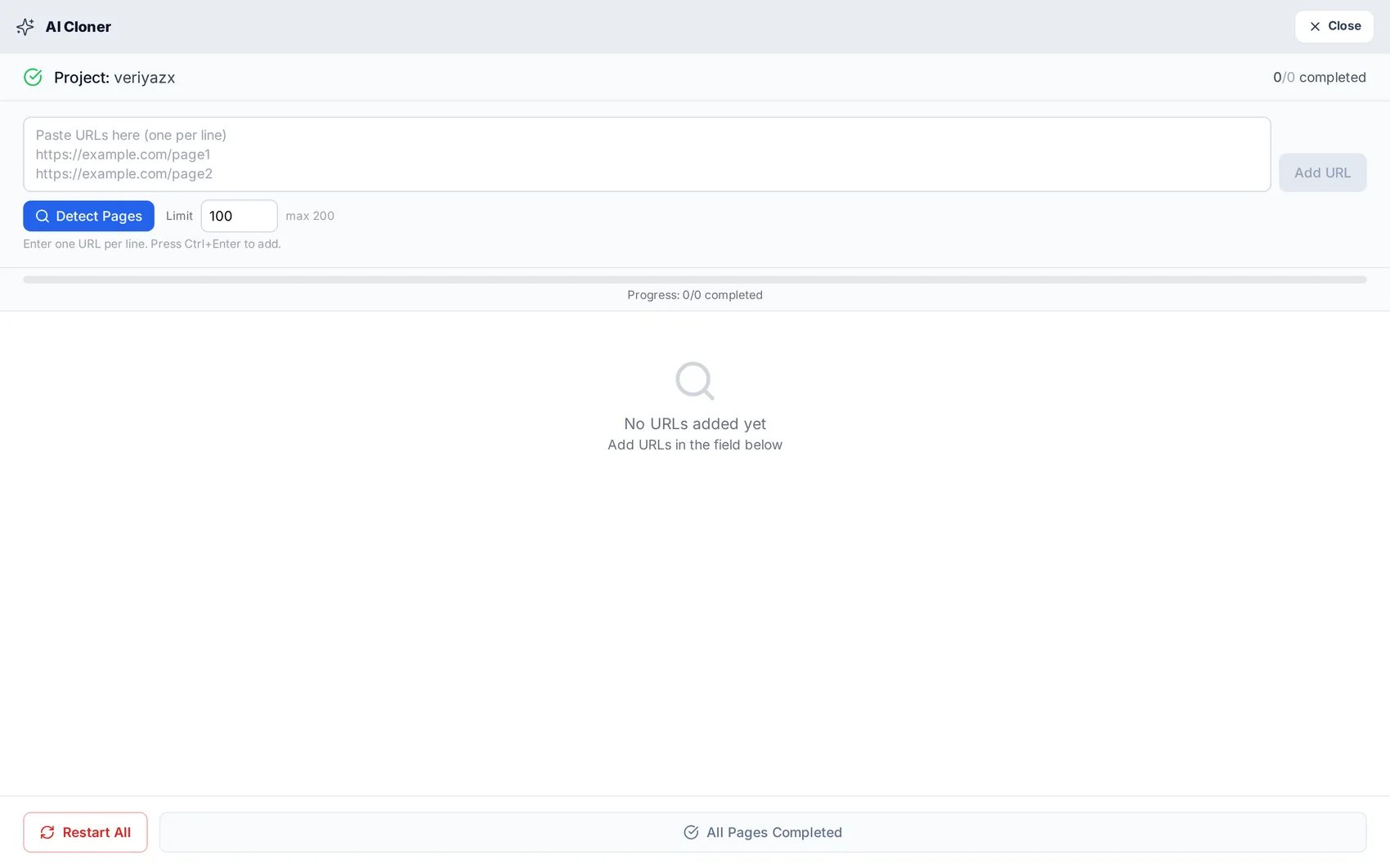
Set the limit and start
The limit box caps how many pages are processed in this run. Each page costs one credit, so a 10-page site costs 10 credits. Start the run and the list fills in as pages complete — you can watch each one turn green.
Open the result in the editor
When the run finishes the project opens in the visual editor with its menu, pages and images in place. This is a normal project now: every block can be edited, moved or deleted.
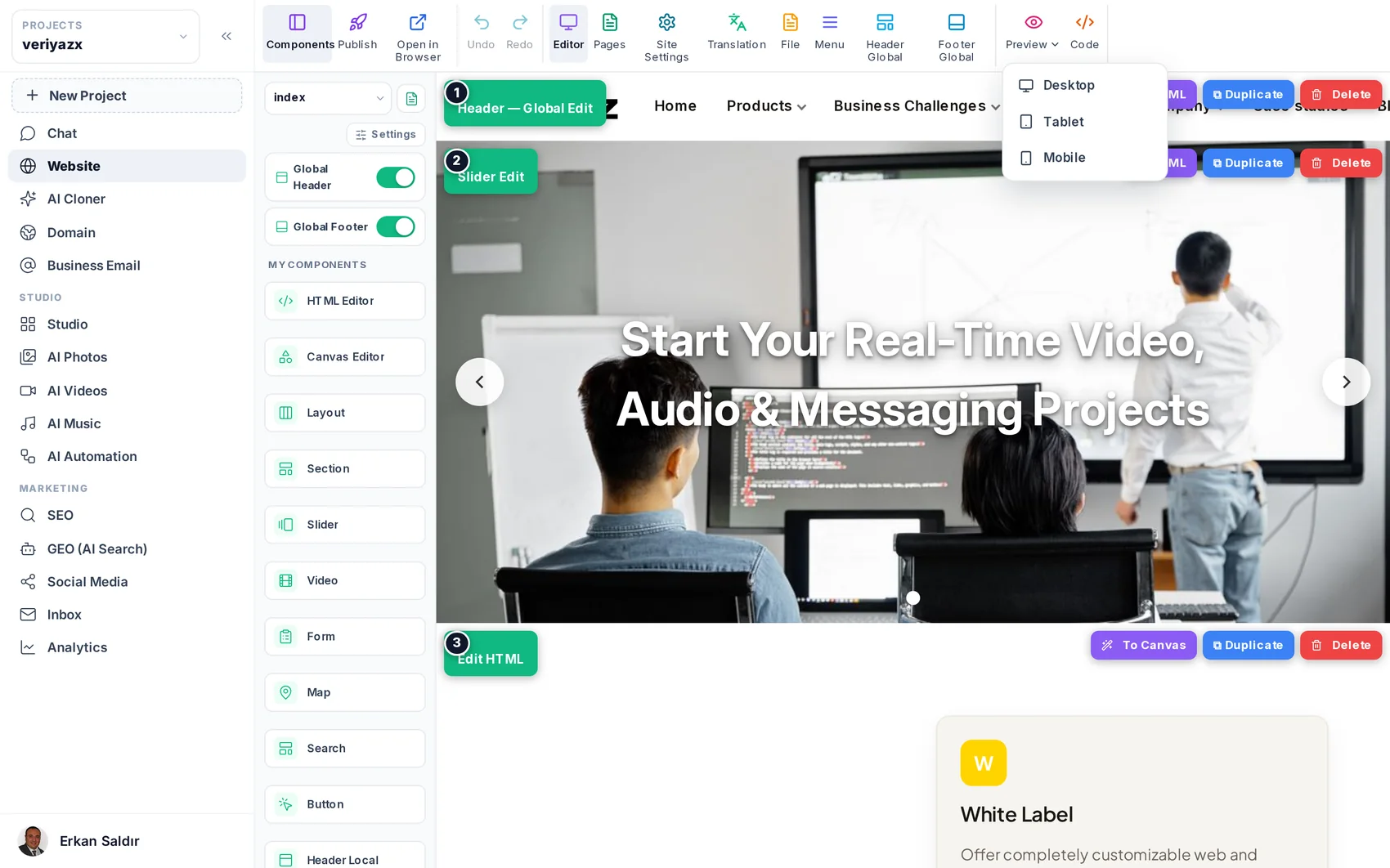
Check the three things that usually need a touch
First the menu, in case the original had a mega menu or a hidden mobile menu. Second the hero image, which sometimes wants a better crop on mobile. Third the contact details, which must match reality — phone, address and email are read from the source, so verify them before publishing.
Tip · Use the device preview to check the mobile layout before you publish. Mobile is where most visitors are.
Publish and keep improving
Publish when it looks right. From here you can ask the chat editor for changes, replace sections with better ones from the template library, or run the SEO panel over the new pages.
Read next
The visual editor: blocks, sections and settings
How to edit anything on a page without code — and where the advanced doors are when you want them.
Editing by chatting
Ask for the change in your own words — new pages, new sections, rewritten copy, layout tweaks.
SEO: getting found in Google
Meta and sitemaps, keyword and position tracking, site audits, and your own Search Console data.