
Rewebsite.Dev
15 modules · 3 layers

Every module, and what it actually looks like

No padded feature list. Each module below is shown with a real screen from the product and the short version of what it does for you — the website layer that replaces your builder, the studio layer that replaces your design and media tools, and the growth layer that gets the result in front of people.

Website 01

Chat

Describe the change; the site changes

The AI chat sits beside your project and edits it: "add a map to the contact page", "write an about page in our tone", "make the hero darker". No site yet? Describe the business and it builds a themed, multi-page one to start from.
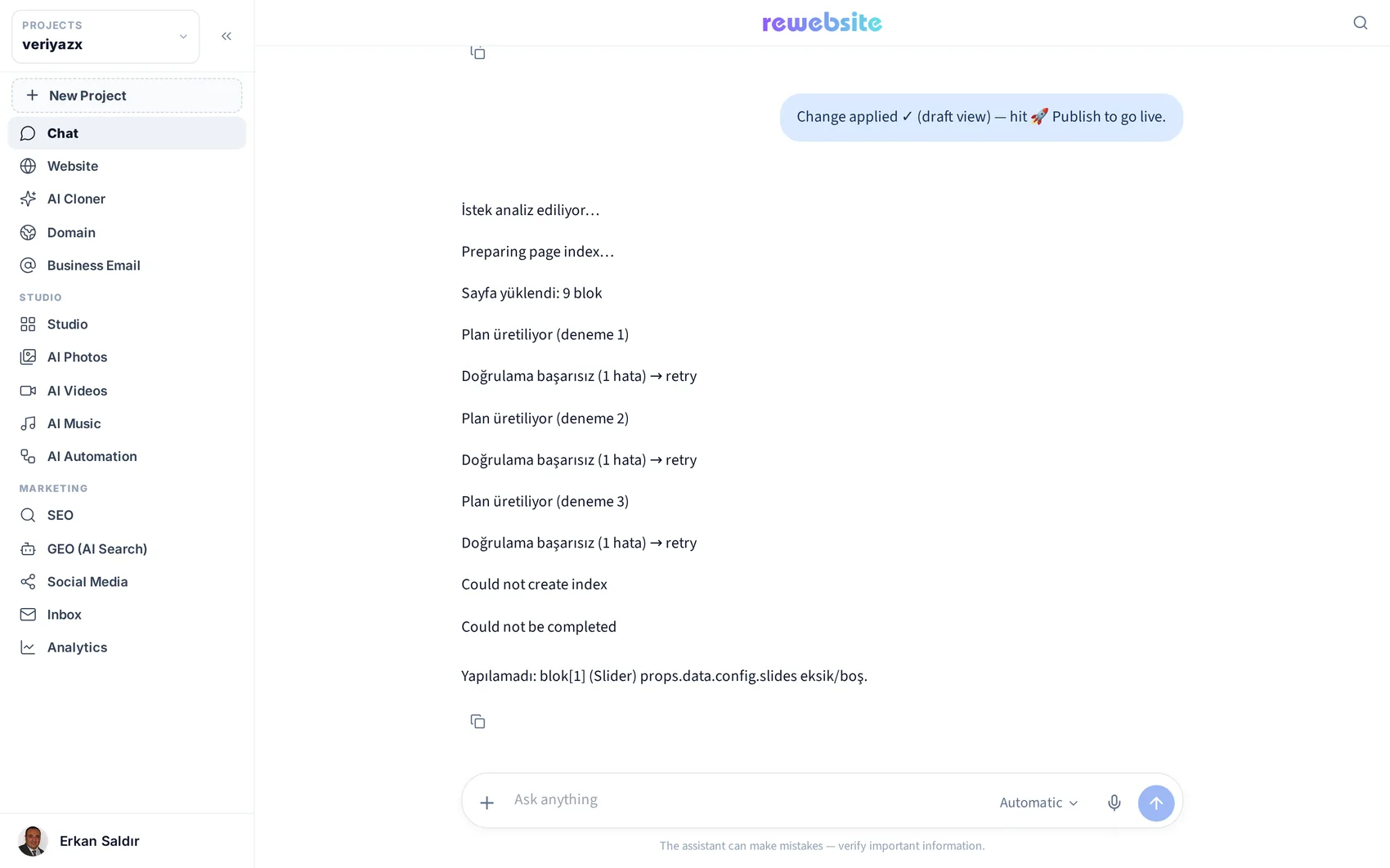
✓ Builds a whole site from a description
✓ Edits a page, a section or one sentence
✓ Knows your palette, fonts and existing content
✓ Voice input on mobile — dictate the change

Open module page → Step-by-step guide →

Chat — product screenshot
Ask in your own words; the scope selector sets what it touches.
Website 02

Website

Click any text and type — that is the whole learning curve

The workspace where the site lives: a drag-and-drop block editor, the page manager with 50+ ready layouts, hierarchical menus, device previews, translation into 14 languages, and a Publish button that puts it live with free SSL.
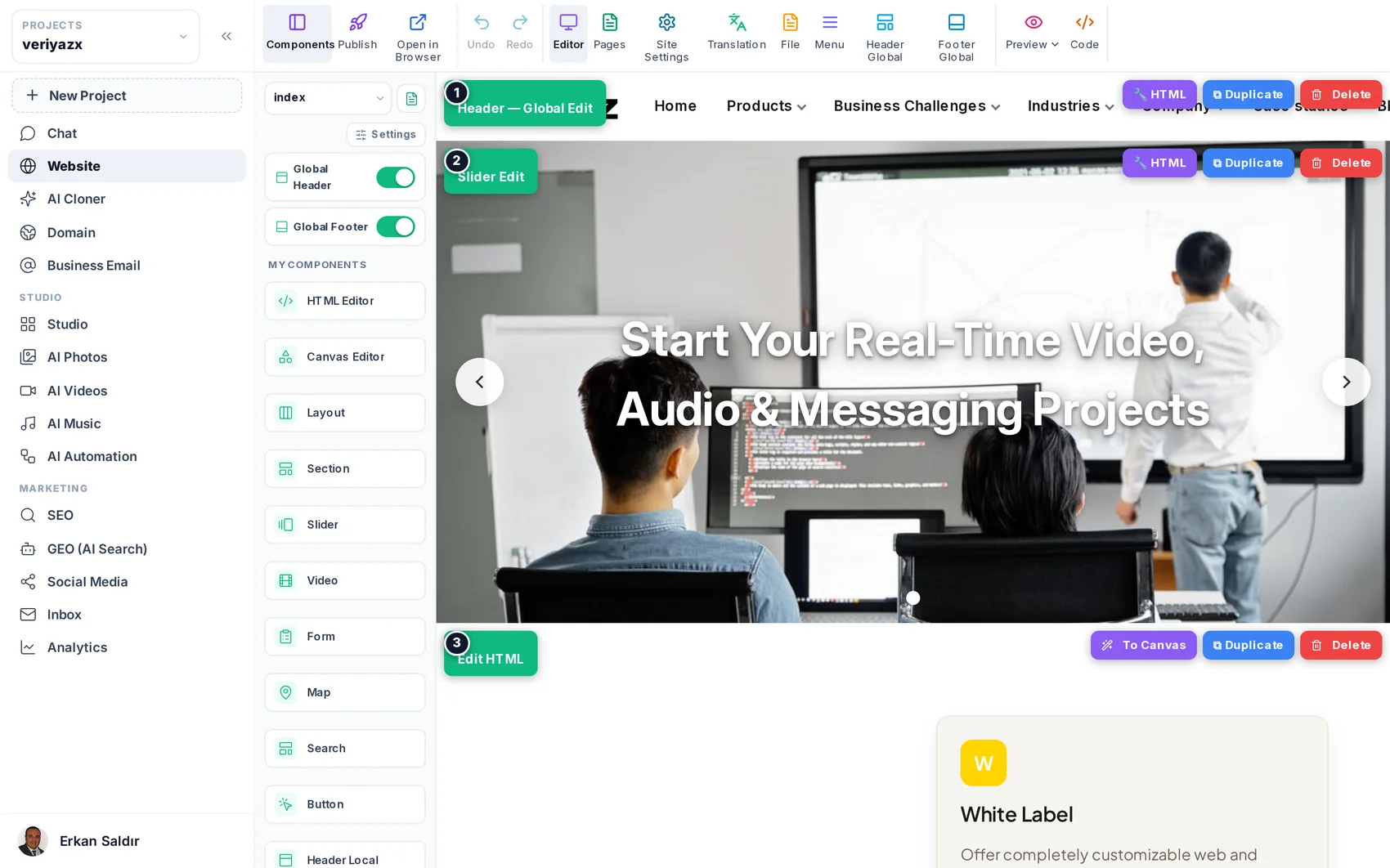
✓ Blocks: section, slider, form, map, video, search, button, HTML
✓ Pages, layouts, menus and per-page SEO fields
✓ Global or per-page header and footer, safely isolated
✓ One-click publish to an isolated, SSL-secured address

Open module page → Step-by-step guide →

Website — product screenshot
Module rail, component library, and your live page in the middle.
Website 03

AI Cloner

Your existing site becomes an editable project

Paste the address of a live site. The cloner reads each page the way a person sees it, then rebuilds it as a modern, fast, block-based project — menus, links and images included. A starting point you own, not a frozen screenshot.
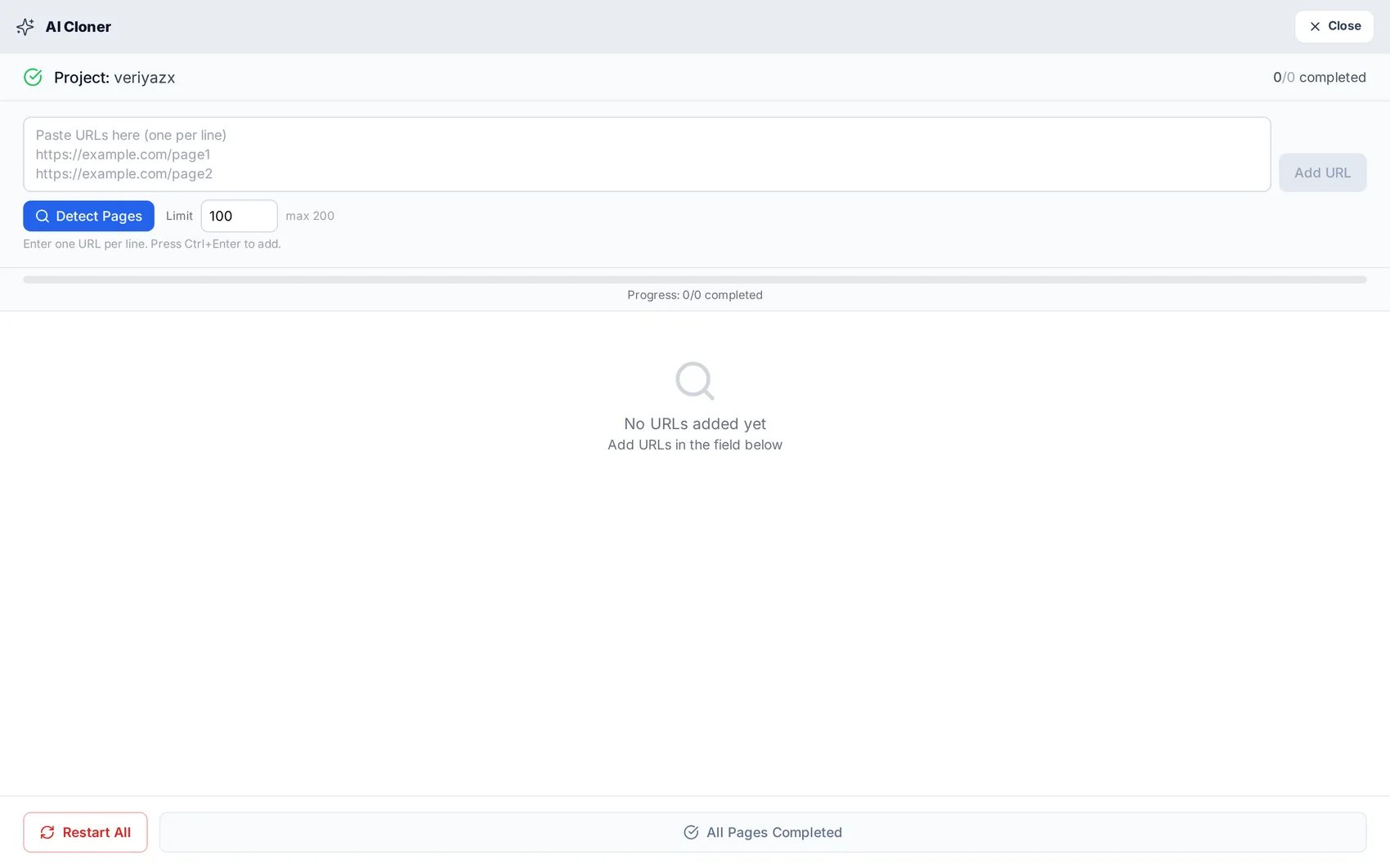
✓ Detect pages automatically or paste your own list
✓ Multi-page: navigation and internal links are rebuilt
✓ Mobile-first output, verified at 390px
✓ Publishes to an SSL address as soon as it finishes

Open module page → Step-by-step guide →

AI Cloner — product screenshot
Detect the pages or paste your own list — each one is rebuilt as an editable page.
Website 04

Domain

Your own name, without DNS homework

Search and register the domain here — .com, .net, .org and .tr, priced in credits — or point one you already own at your project. Records and the free certificate are configured for you, and the domain stays registered in your name.
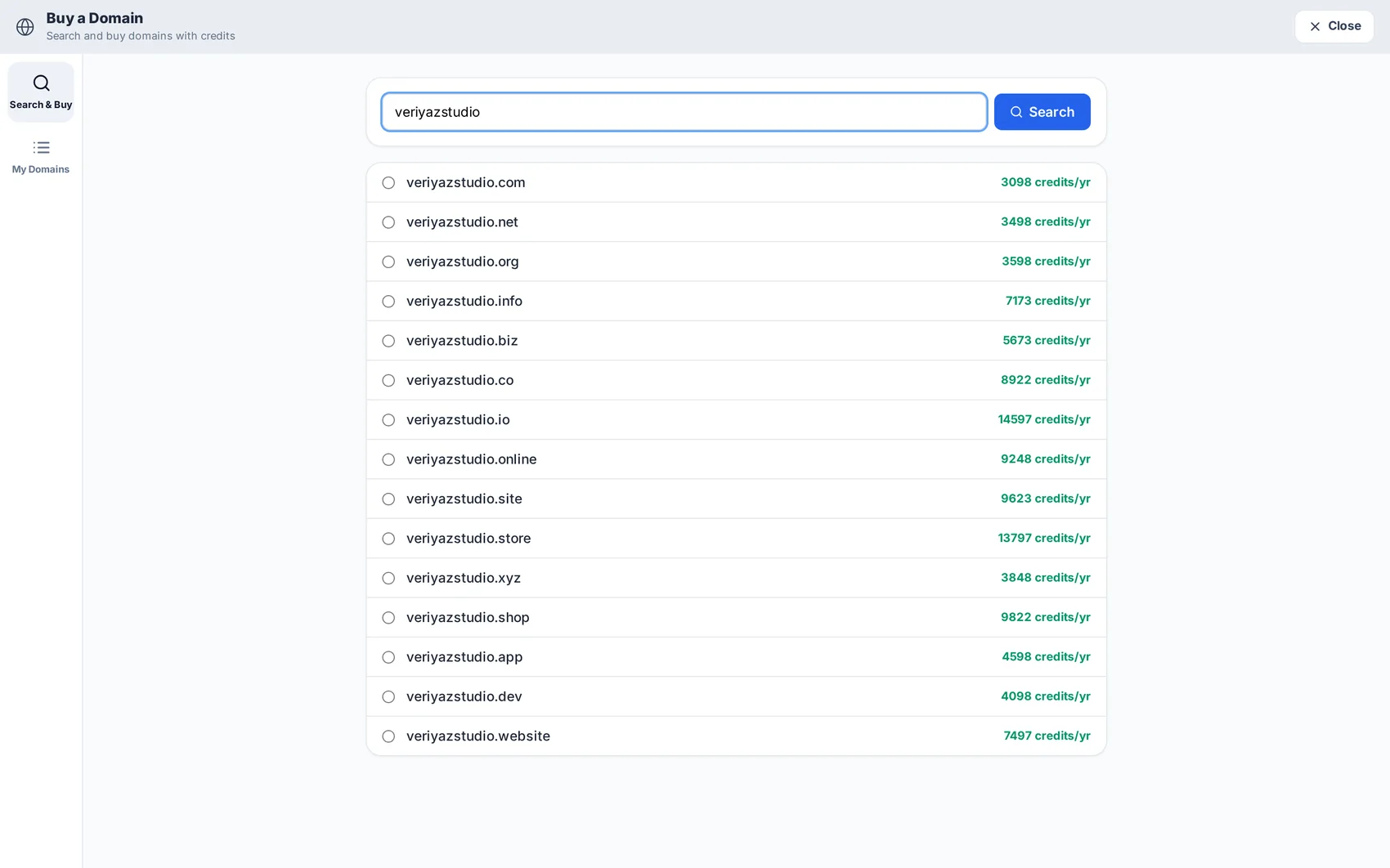
✓ Search and compare extensions in one screen
✓ .com/.net/.org and .tr registration
✓ Connect a domain you already own
✓ Free SSL, issued and renewed automatically

Open module page → Step-by-step guide →

Domain — product screenshot
Search a name, compare extensions, register — priced in credits.
Website 05

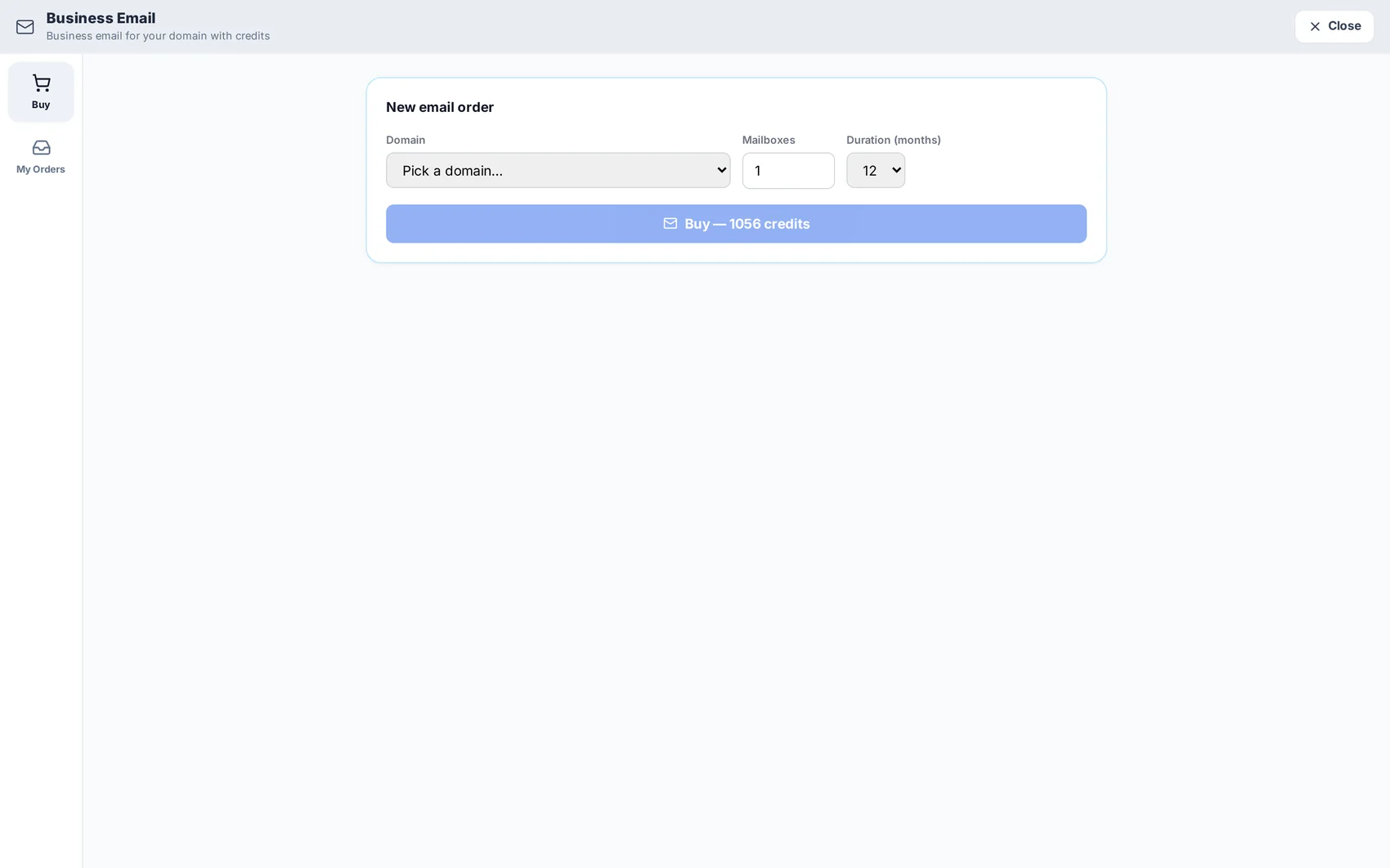
Business Email

info@yourbusiness, not yourbusiness@gmail

Create mailboxes on the domain you just connected: info@, sales@, your own name. Mail records are set up automatically, so the only thing you choose is the addresses and who uses them.
✓ Mailboxes on your own domain
✓ Mail DNS records configured for you
✓ Works with the mail app you already use
✓ Managed from the same panel as the site

Open module page → Step-by-step guide →

Business Email — product screenshot
Mailboxes on your own domain, created next to the site.
Studio 06

Studio

A design editor that already knows your brand

A full-page canvas for social visuals, posters, cards and page sections. Hundreds of ready designs take your colour and font automatically, and the layered canvas gives you alignment guides, groups, masks, shapes and text art.
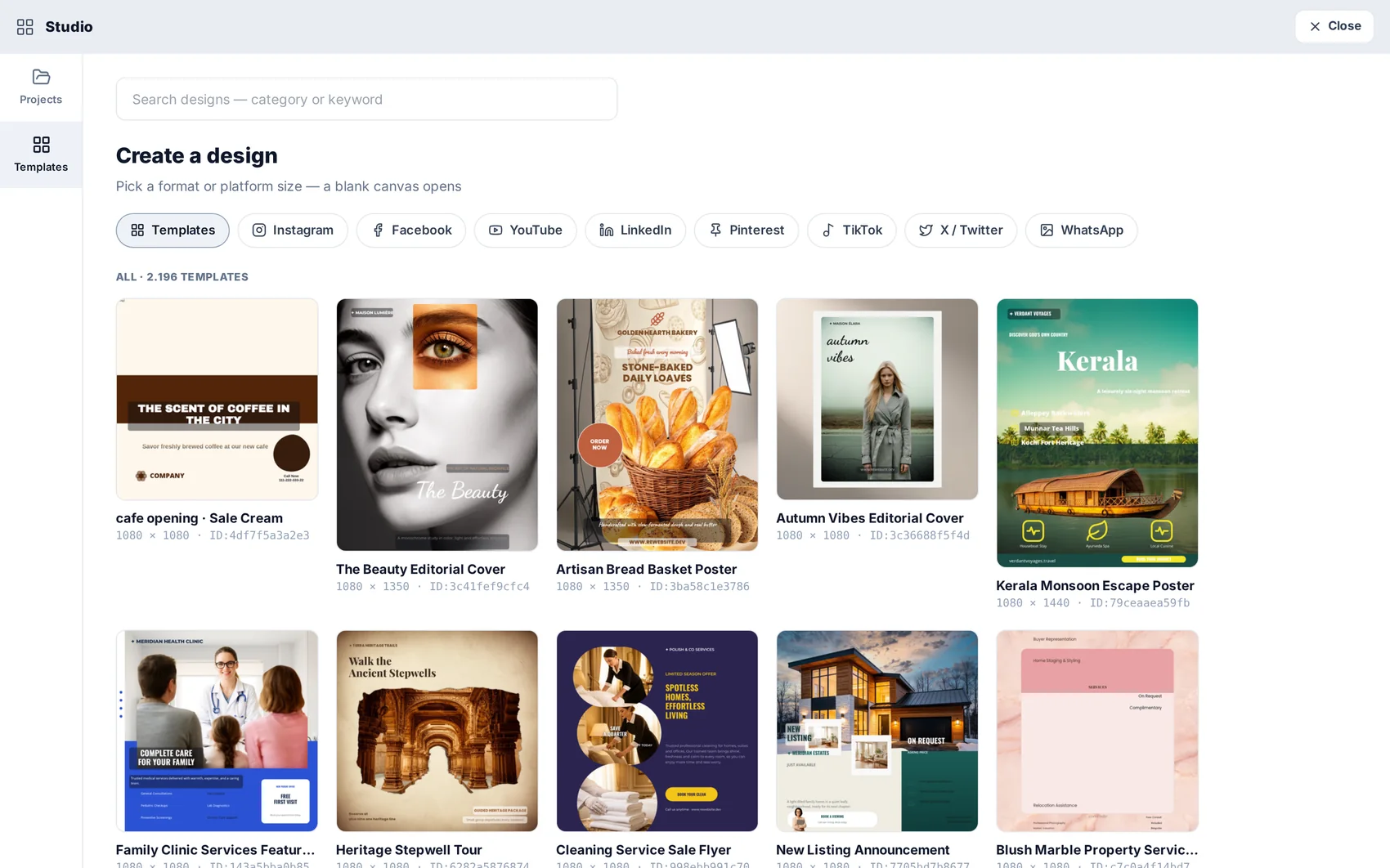
✓ Template library that adapts to your brand in one click
✓ Layers, alignment helpers, masks, shape designer
✓ Push a design into a page or a scheduled post
✓ Your AI images are one panel away

Open module page → Step-by-step guide →

Studio — product screenshot
Start from a ready design or an empty canvas.
Studio 07

AI Photos

Product and brand images without a shoot

Text-to-image and reference-driven generation, real editing on the pixels, one-click cut-outs, and corporate templates that produce consistent product and team shots in batches.
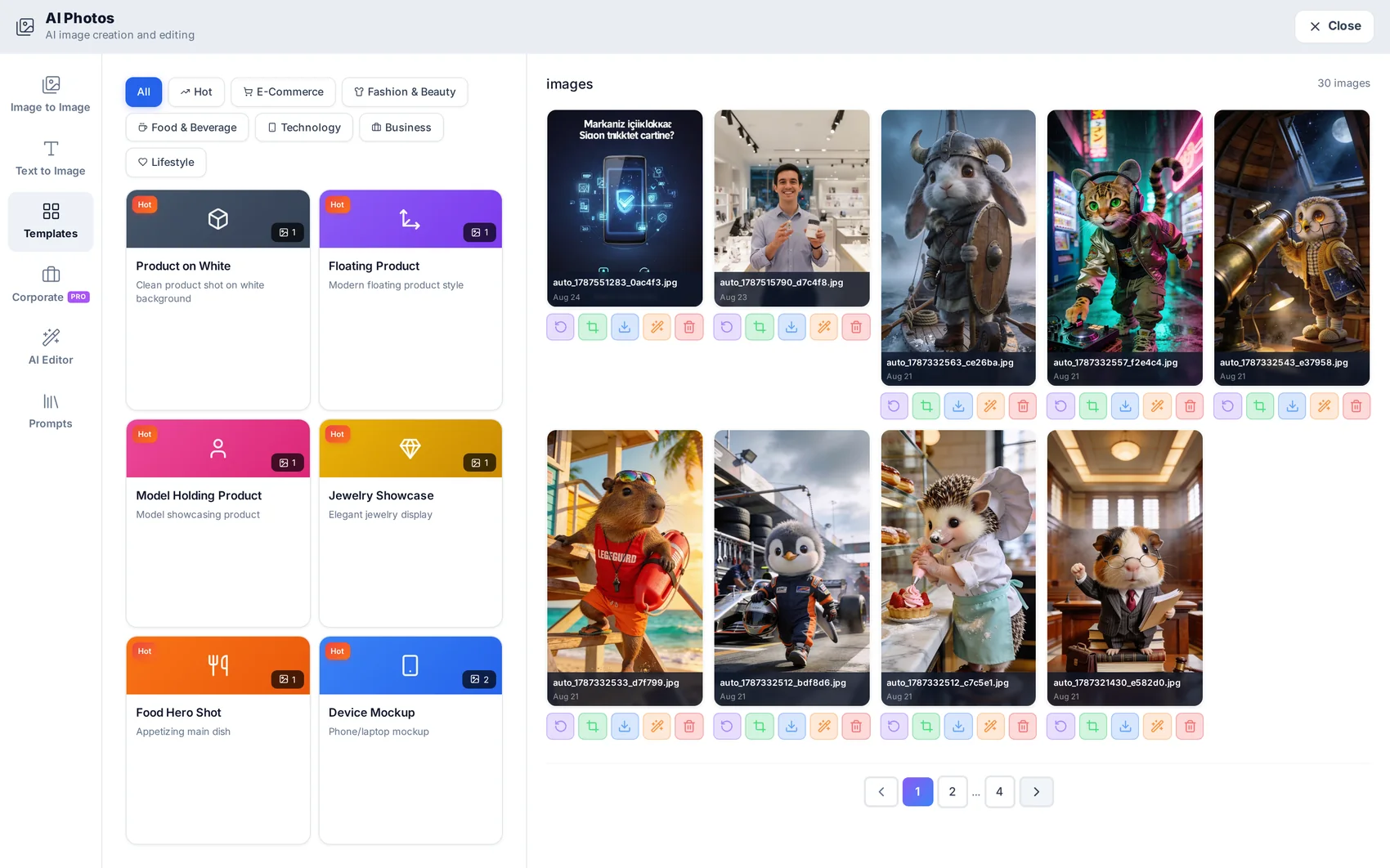
✓ Text to image, image to image, AI editor, prompt library
✓ One-click background removal and clean cut-outs
✓ Corporate presets for consistent catalogue shots
✓ Everything lands in the project library

Open module page → Step-by-step guide →

AI Photos — product screenshot
Generate, edit and organise every image in one place.
Studio 08

AI Videos

200+ models, one screen, price shown before you spend

Talking avatars, product spots, photo animation, text-to-video — with voiceover and music mixed server-side, so what you download is a finished ad rather than three files to assemble.
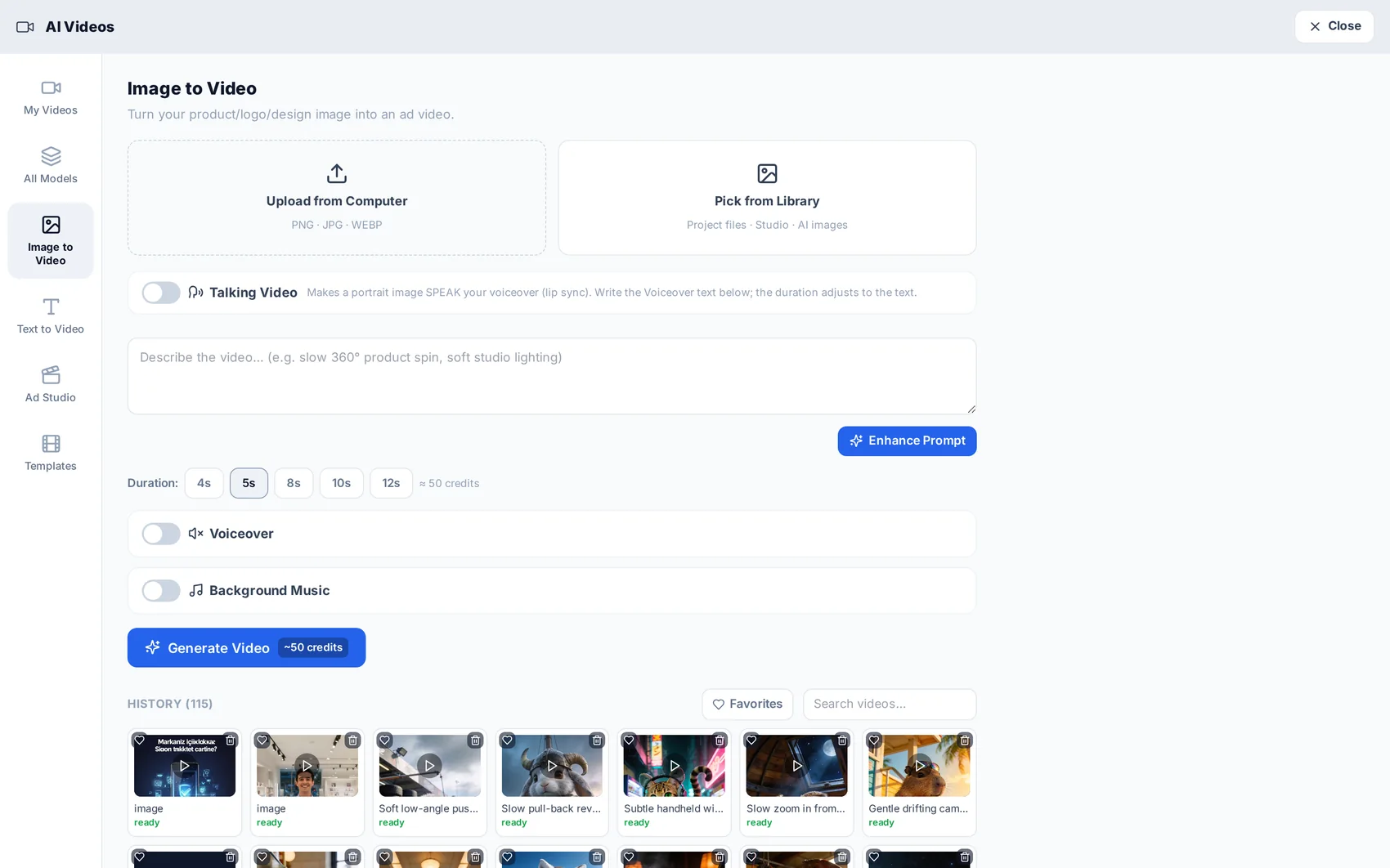
✓ UGC ads with your own face and cloned voice, lip-synced
✓ Voiceover in 14 languages plus background music
✓ Prompt studio with enhancement and per-model guidance
✓ Cost per second visible on every model card

Open module page → Step-by-step guide →

AI Videos — product screenshot
Pick the model that fits the budget and the job.
Studio 09

AI Music

A jingle, or a full song that sings your words

Style, mood, tempo and era are dials. Write the lyrics yourself or let the lyricist do it in eight languages — then have the track sung in your own uploaded voice.
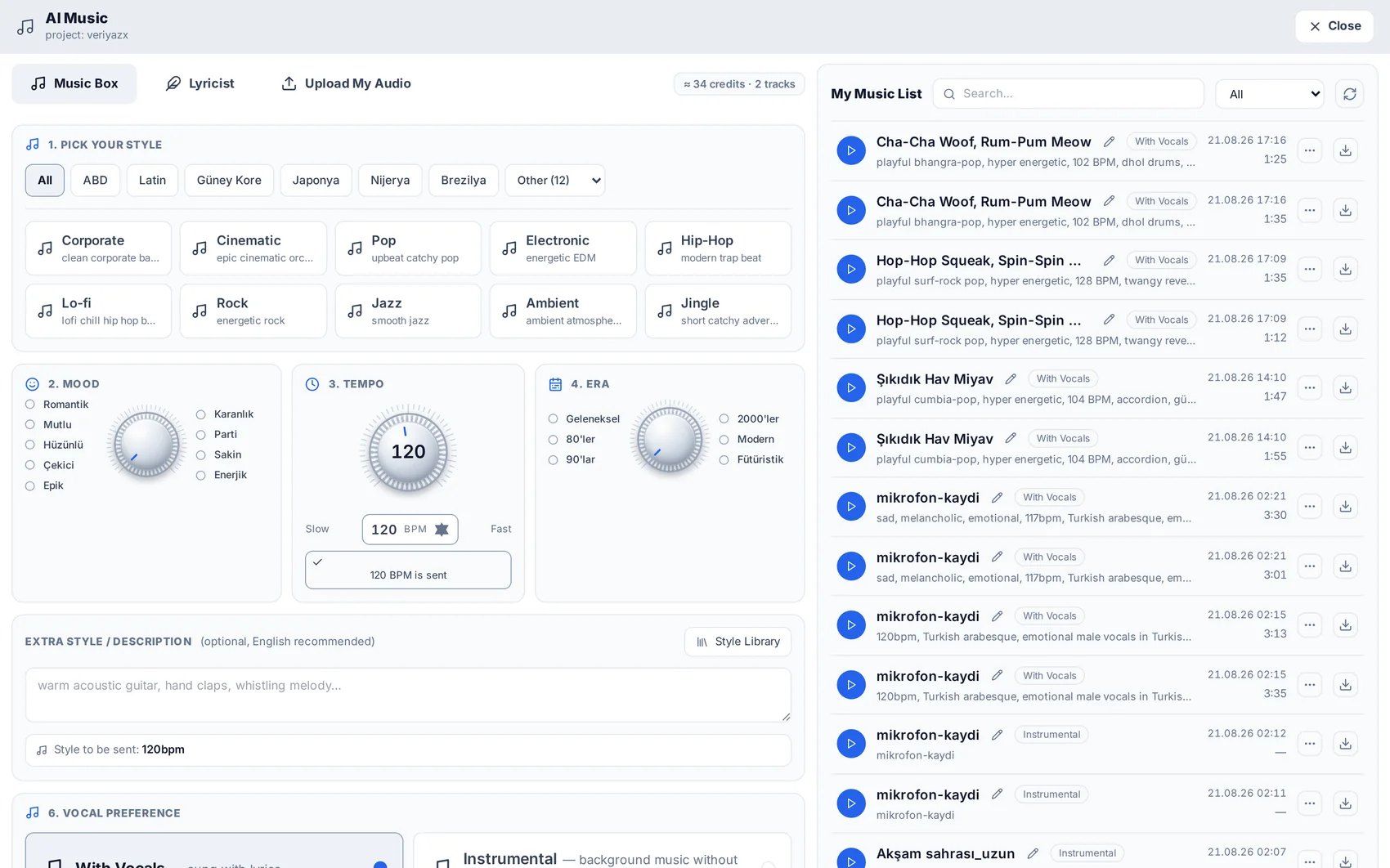
✓ Vocal or instrumental versions of the same track
✓ Lyric writer in 8 languages
✓ Sing it in your own voice
✓ Track library, reusable in videos and automations

Open module page → Step-by-step guide →

AI Music — product screenshot
Set the dials, get a finished track.
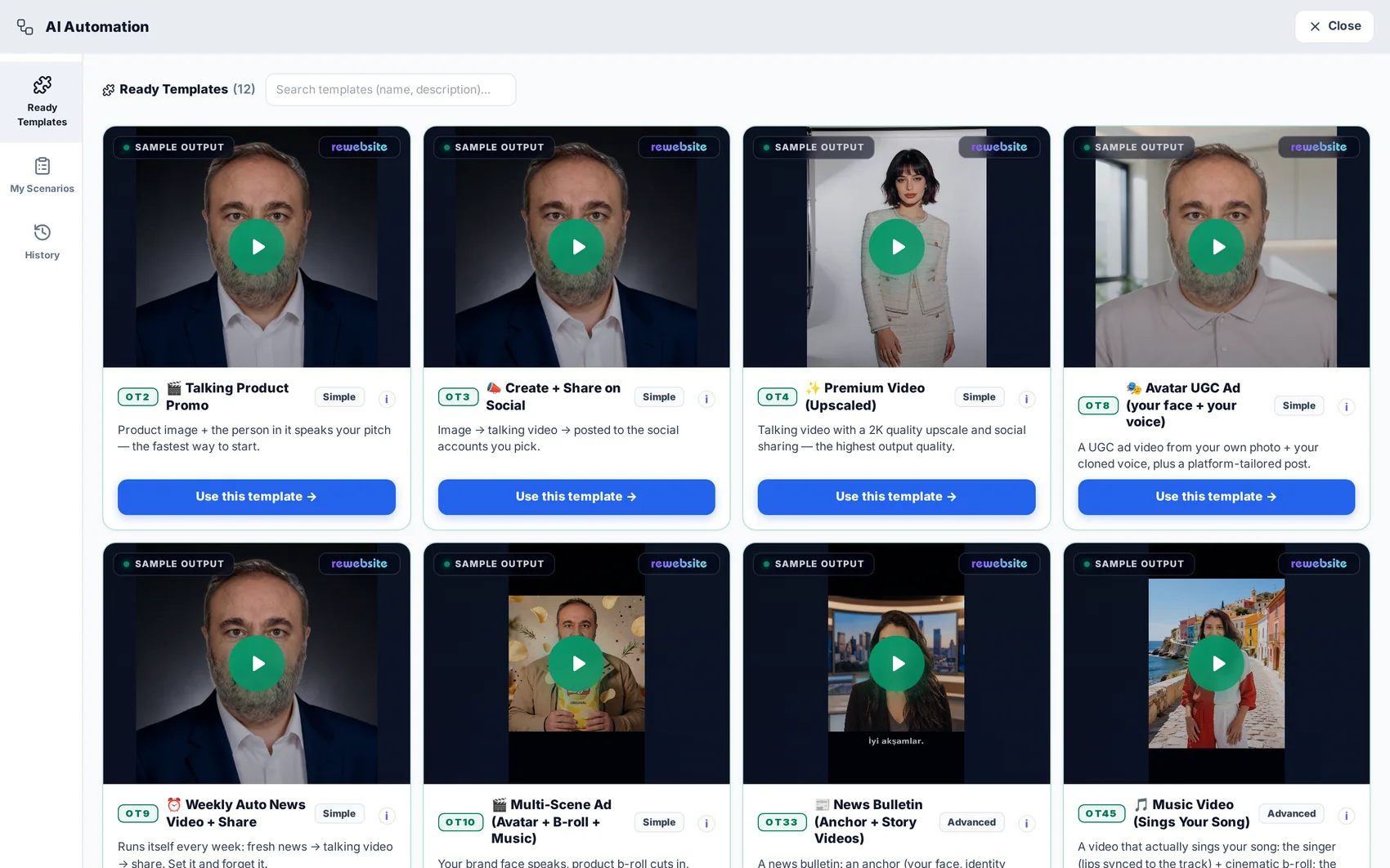
AI Automation — product screenshot
Ready scenarios, each with a real sample output.
Studio 10

AI Automation

One scenario becomes a weekly content factory

A visual workflow engine for media, driven by the AI Producer: give it a topic and a schedule and it plans, writes, generates the scenes, films, narrates, scores, edits and publishes — showing you every intermediate output.

✓ Twelve ready scenarios with real sample outputs
✓ Runs once or on a schedule ("every Tuesday at 09:00")
✓ Smart cache: unchanged steps do not cost credits again
✓ A watchdog recovers stuck runs — nothing hangs silently

Open module page → Step-by-step guide →

Marketing 11

SEO

Getting found in Google, against your real pages

One optimisation centre: AI-drafted meta titles and descriptions page by page, sitemaps and robots handled, keyword and position tracking, backlink and disavow lists, technical audits — plus your own Search Console data inside the dashboard.
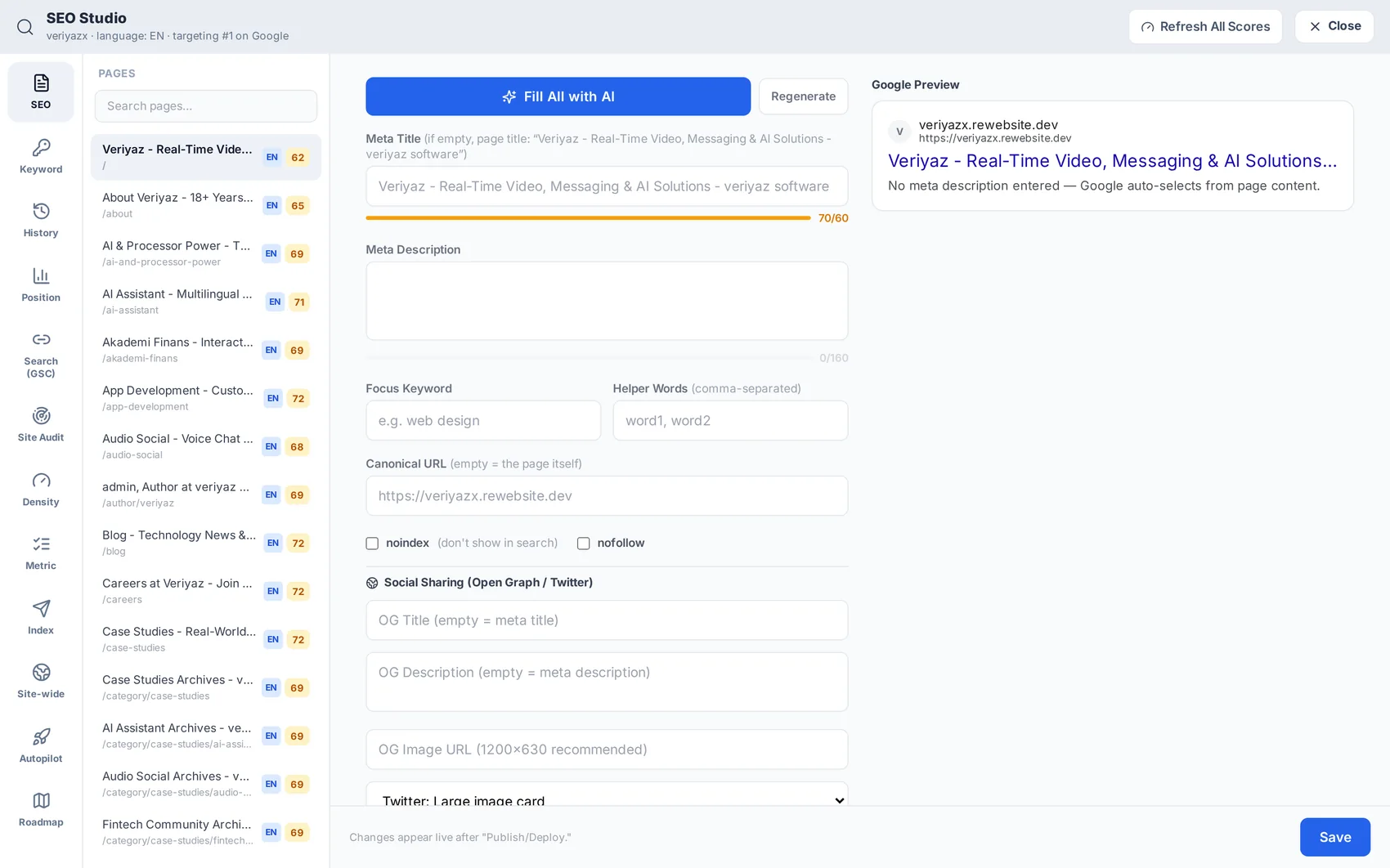
✓ Fill all meta fields with AI, then edit what you disagree with
✓ Keyword, position, density and site-audit panels
✓ Google Search Console connected read-only in one click
✓ Sitemap, robots and site search index rebuilt on publish

Open module page → Step-by-step guide →

SEO — product screenshot
Meta fields per page, with AI drafting for the whole site.
Marketing 12

GEO (AI Search)

Get named when someone asks an assistant

People increasingly ask an assistant instead of searching. GEO measures whether your brand appears in those answers, shows which AI crawlers can read your site, and fixes the pages the answers need.
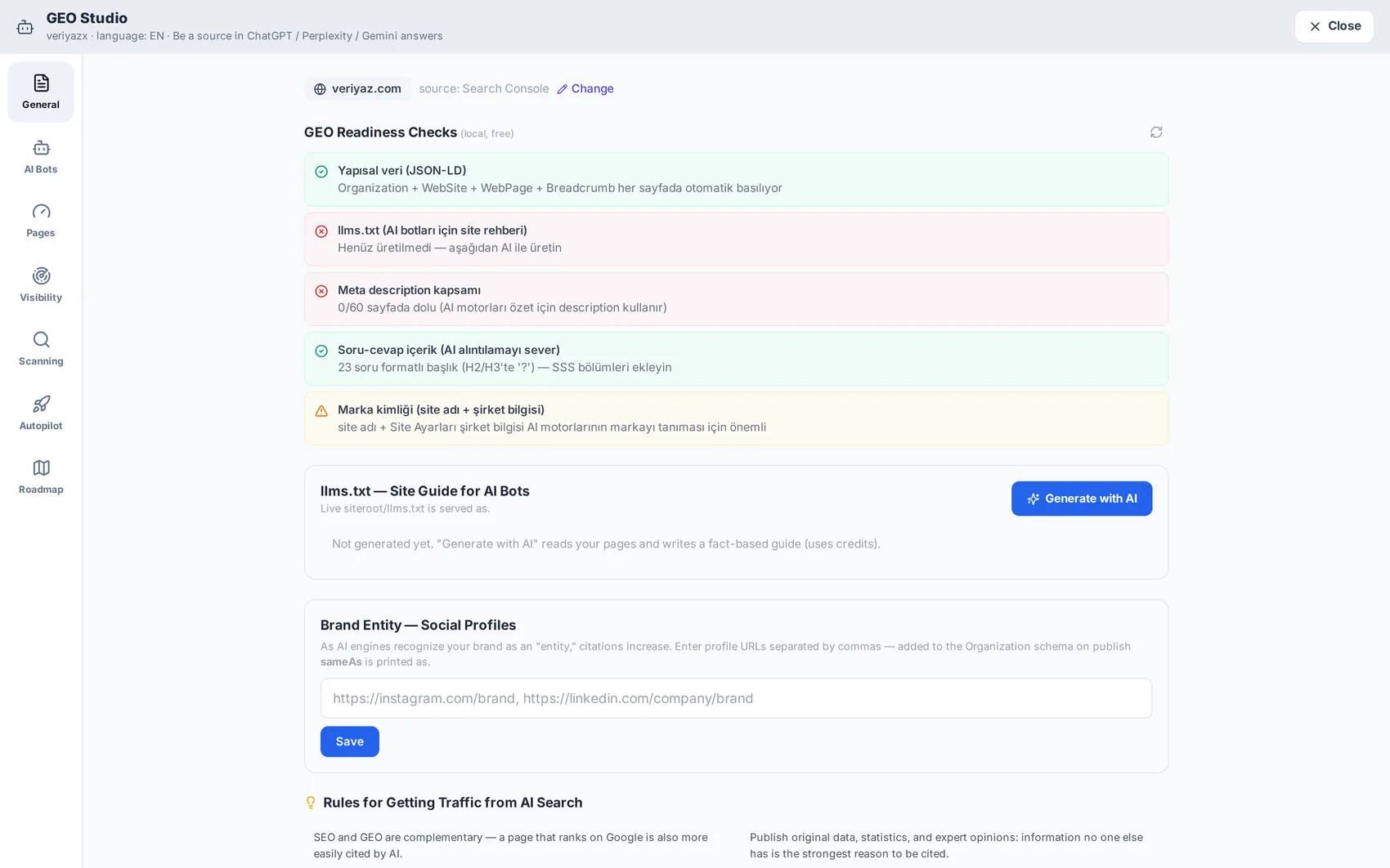
✓ Visibility scans across AI answers, question by question
✓ AI crawler access — the usual reason a brand is invisible
✓ Page-level fixes the assistants actually quote
✓ Autopilot and roadmap for ongoing work

Open module page → Step-by-step guide →

GEO (AI Search) — product screenshot
Which AI crawlers can read your site, and what the answers say about you.
Marketing 13

Social Media

Publish what the platform just produced

Connect your accounts once and post or schedule from the same dashboard that made the design or the video. An AI copywriter matches the tone per channel, and the calendar shows what goes out where.
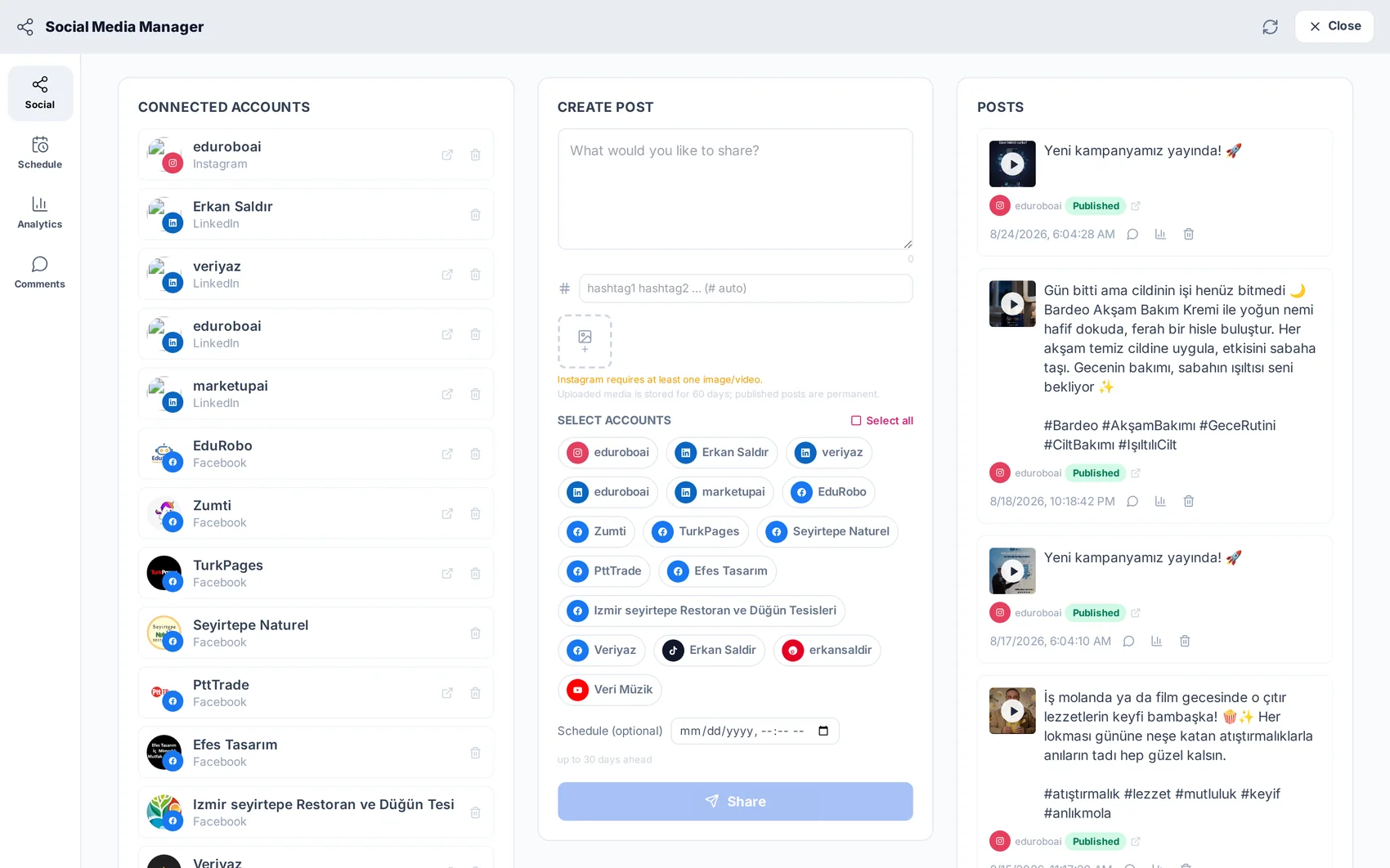
✓ Per-project account connections (clean for agencies)
✓ Attach designs and videos without downloading
✓ Queue and calendar for scheduled posts
✓ Automation runs can publish into the same queue

Open module page → Step-by-step guide →

Social Media — product screenshot
Connected channels with their schedule and recent activity.
Marketing 14

Inbox

Enquiries become tasks, not lost emails

Every form submission from your website lands in a shared inbox with the sender, the message and the page it came from — searchable, assignable and visible to the whole team instead of sitting in one person’s mailbox.
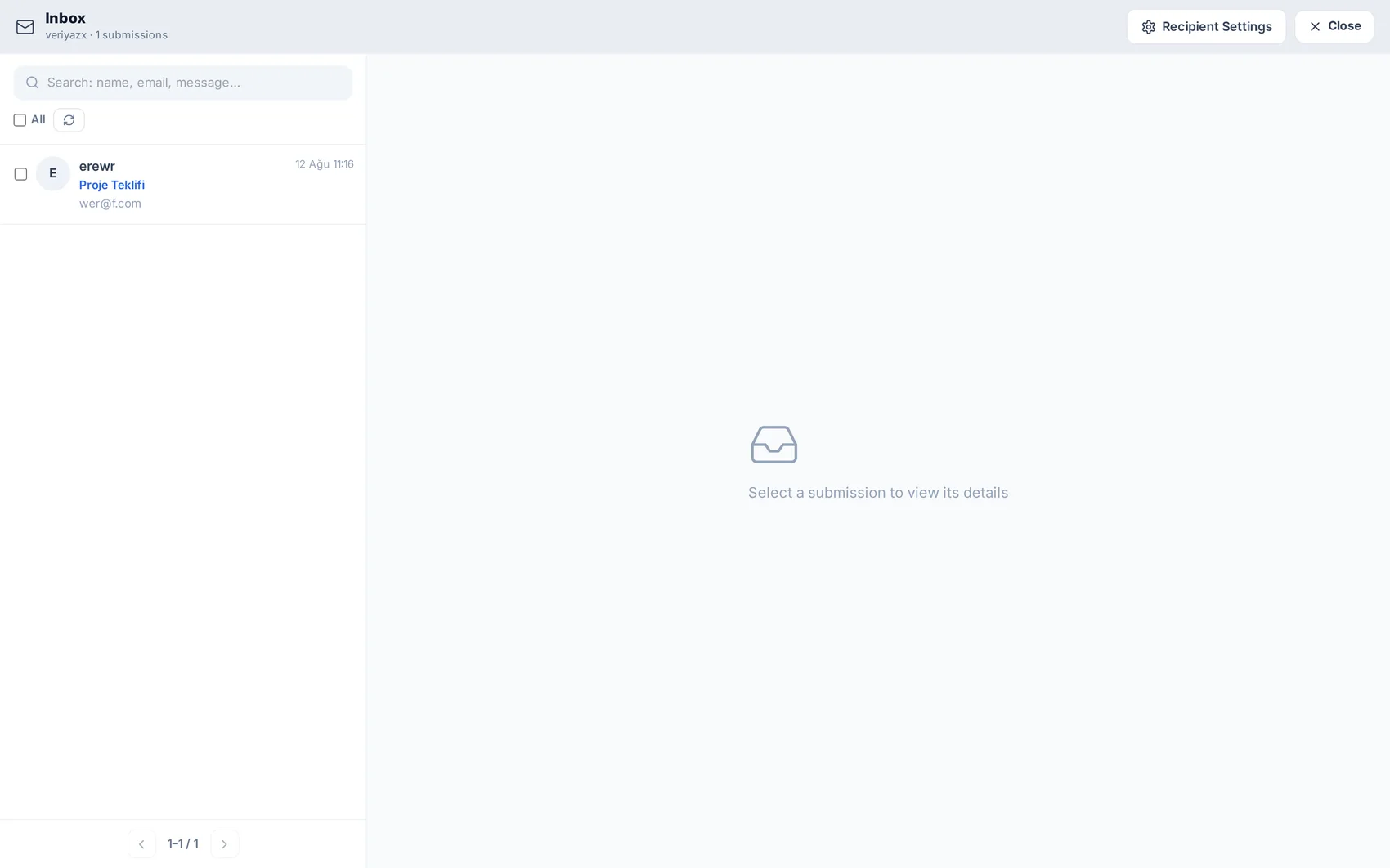
✓ All site form submissions collected automatically
✓ Search by name, email or message
✓ Recipient settings — who gets notified
✓ Social replies and comments in the same workflow

Open module page → Step-by-step guide →

Inbox — product screenshot
Submissions from the site, with details on the right.
Marketing 15

Analytics

Real traffic, next to real rankings

Cookie-free, privacy-friendly analytics with nothing to install: live visitors, sources, a country map, events and conversions, visitor profiles and session history — wired into the SEO panels so traffic and rankings sit together.
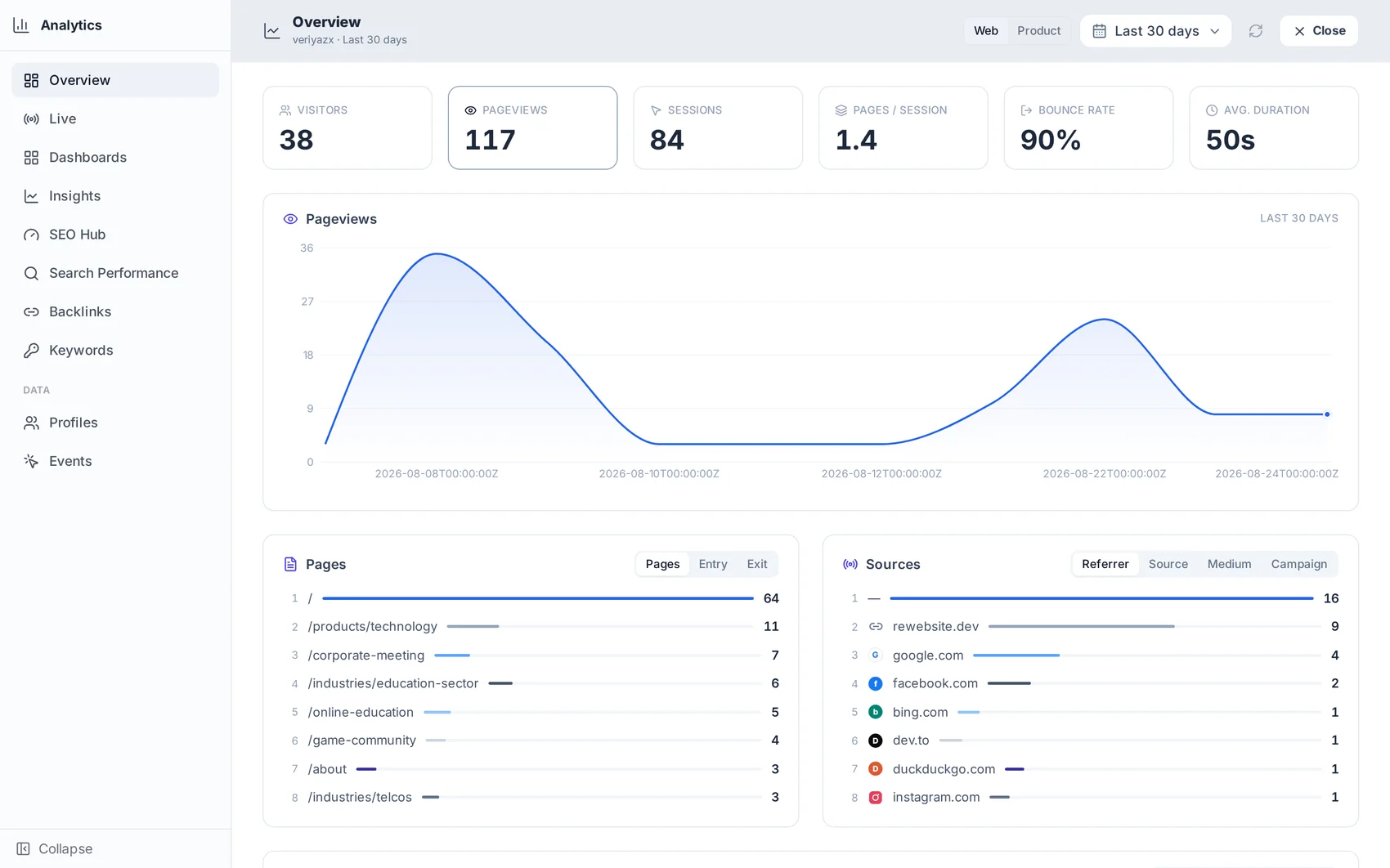
✓ Live view and dashboards out of the box
✓ Events, conversions and visitor profiles
✓ Search Console impressions, clicks, queries, positions
✓ No tracking script, no consent banner to design

Open module page → Step-by-step guide →

Analytics — product screenshot
Traffic, sources and search performance in one dashboard.

Every module is open on the free plan.

What a paid plan changes is how many projects you run and how many AI credits you get each month. Nothing above is locked behind a tier.

Rewebsite.Dev

A short company description — get to know us.

© Rewebsite.Dev — All rights reserved.