
Growth · 6 min · 4 steps
Social publishing and the shared inbox
Posting is where most content dies. Here it is the last step of the same workflow rather than another subscription.
1
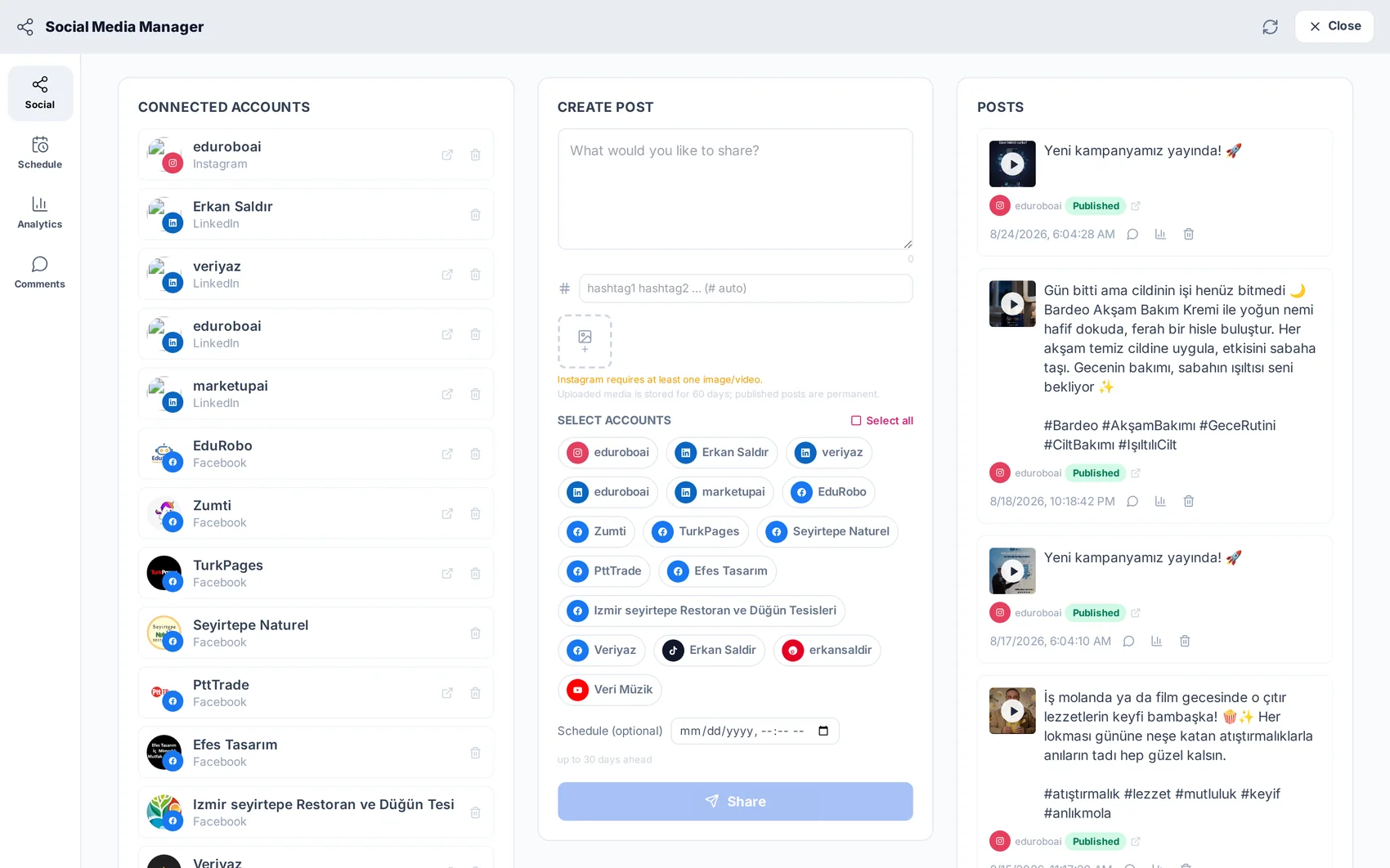
Connect your accounts
Open Social Media and connect the channels you use. The connection is per project, so an agency running several clients keeps them cleanly separated.
2
Write the post — or have it written
Attach an image from Studio or a video from AI Videos, and let the copywriter draft the caption in the tone that fits the channel. Edit it, add the hashtags you want, and it is ready.
3
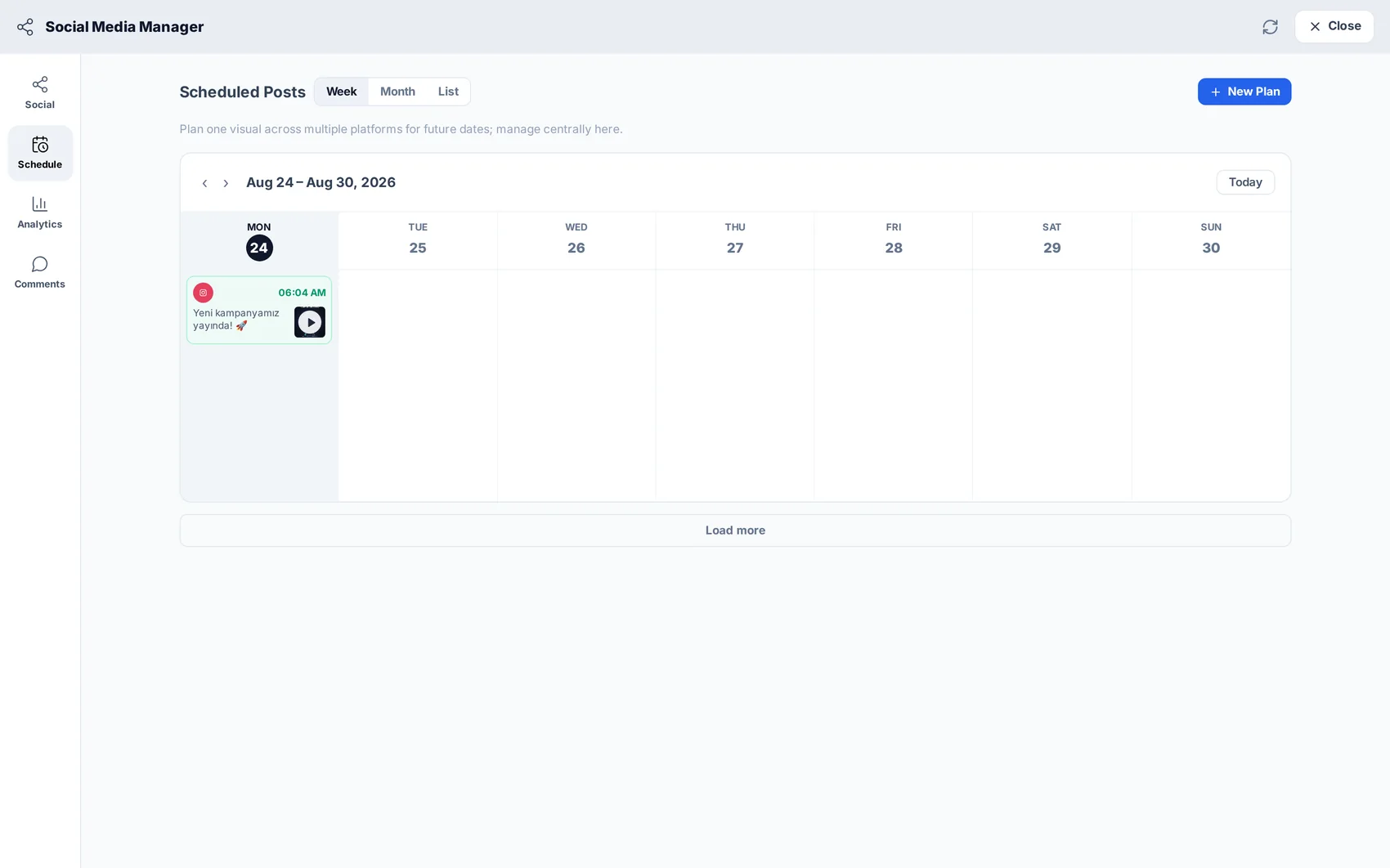
Schedule it
Pick a time and the post joins the queue. The calendar shows what is going out and when, across every connected channel.
4
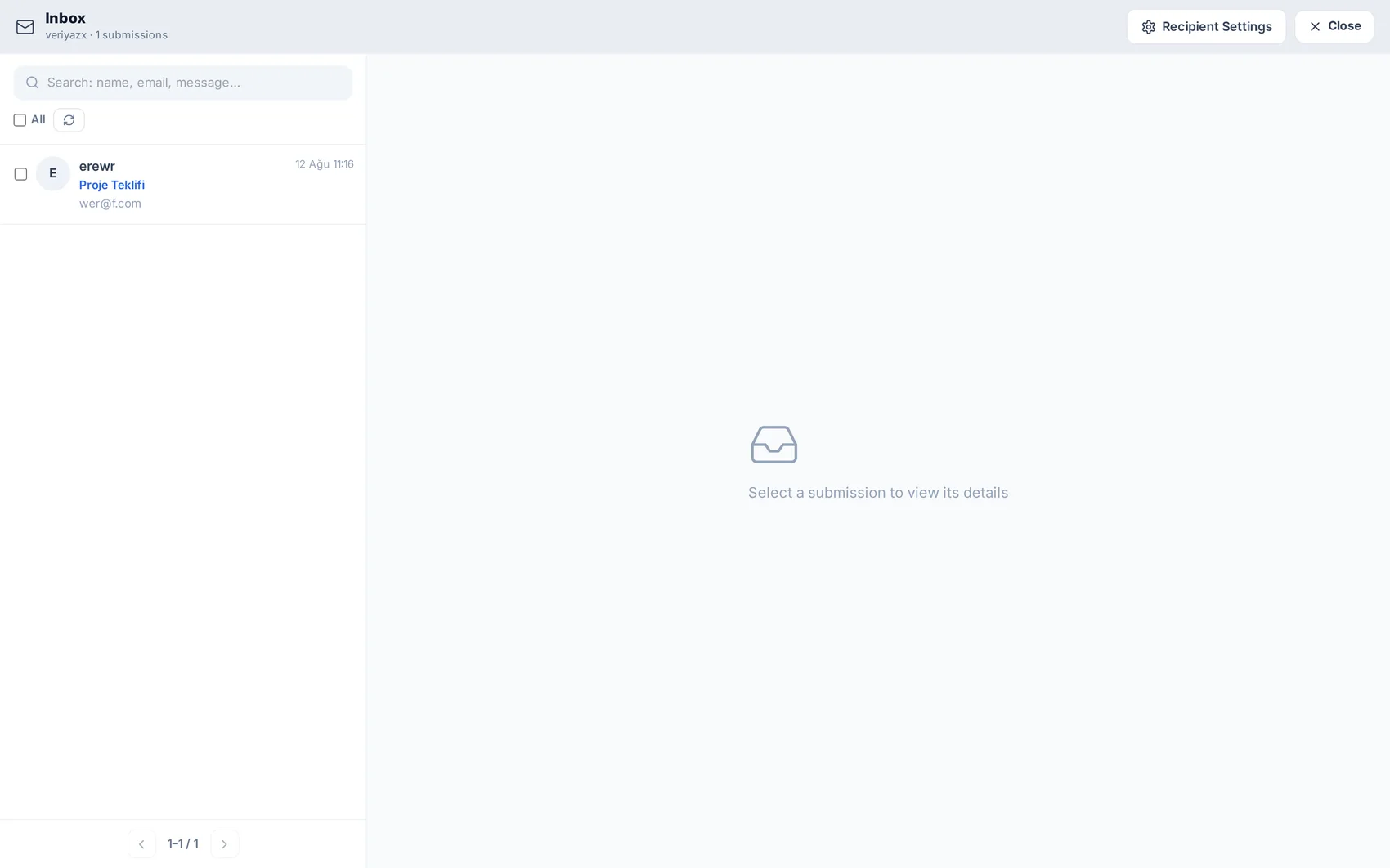
Answer what comes back
Comments and replies land in the same place, and every form submission from your website arrives in the shared inbox — so enquiries do not get lost in a personal mailbox.
Try it while it is fresh.
Resources
Services